¶ D-Link DSM-G600 A1
/* This template is intended to be used via https://openwrt.org/meta/create_new_device_page ONLY. */ /* DO NOT CREATE NEW DEVICEPAGES VIA COPY & PASTE! */ /* USE https://openwrt.org/meta/create_new_device_page */
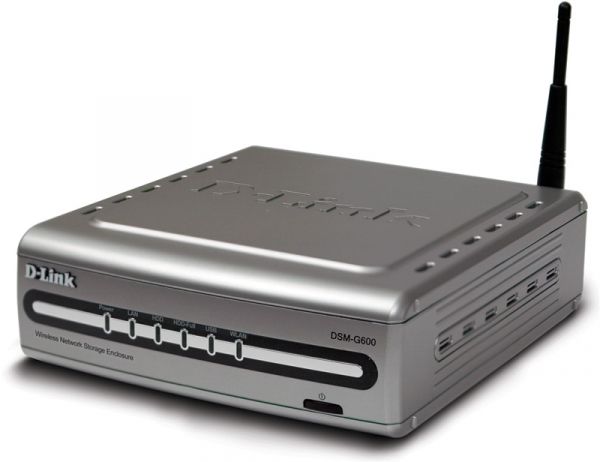
The D-Link MediaLounge DSM-G600 Wireless G Network Storage Enclosure is a combined router and NAS with space for an internal 3.5“ ATA hard drive. It also has two USB ports, and single external antenna connectors.
The DSM-G600 supports Gigabit ethernet, and in addition, it supports wireless networks as either a client or an access point. And to top it all off, it has a built-in multimedia server to dish up music, movies and images to other devices on your network.
¶ Supported Versions
<!-- ToH: {
"source": "json",
"dom": "t",
"paging": false,
"rotate": true,
"shownColumns": ["brand", "model", "version", "supportedcurrentrel", "oemdevicehomepageurl", "owrt_forum_topic_url", "deviceid"],
"filterColumns": {"model": "^DSM-G600$"}
} -->
¶ Hardware Highlights
<!-- ToH: {
"source": "json",
"dom": "t",
"paging": false,
"rotate": true,
"shownColumns": ["brand", "model", "version", "cpu", "cpumhz", "flashmb", "rammb", "wlanhardware", "wlan24ghz", "wlan50ghz", "ethernet100mports", "ethernet1gports", "modem", "usbports"],
"filterColumns": {"model": "^DSM-G600$"}
} -->
¶ Installation
<!-- ToH: {
"source": "json",
"dom": "t",
"paging": false,
"rotate": true,
"shownColumns": ["brand", "model", "version", "supportedcurrentrel", "firmwareopenwrtinstallurl", "firmwareopenwrtupgradeurl", "firmwareoemstockurl"],
"filterColumns": {"model": "^DSM-G600$"}
} -->
-> Install OpenWrt (generic explanation)
FIXME Please add the installation procedure here.
¶ Flash Layout
FIXME Find out flash layout, then add the flash layout table here (copy, paste, modify the example).
Please check out the article Flash layout. It contains examples and explanations that describe how to document the flash layout.
¶ Debricking
¶ Failsafe mode
¶ Basic configuration
-> Basic configuration After flashing, proceed with this.
Set up your Internet connection, configure wireless, configure USB port, etc.
¶ Specific Configuration
FIXME Please fill in real values for this device, then remove the EXAMPLEs
¶ Network interfaces
The default network configuration is:
Interface Name Description Default configuration br-lan EXAMPLE LAN & WiFi EXAMPLE 192.168.1.1/24 vlan0 (eth0.0) EXAMPLE LAN ports (1 to 4) EXAMPLE None vlan1 (eth0.1) EXAMPLE WAN port EXAMPLE DHCP wl0 EXAMPLE WiFi EXAMPLE Disabled
¶ Switch Ports (for VLANs)
No VLAN for this device.
¶ Buttons
-> hardware.button on howto use and configure the hardware button(s). Here, we merely name the buttons, so we can use them in the above Howto.
The D-Link DSM-G600 has the following buttons:
| BUTTON | Event |
|---|---|
| Reset | Reset to default settings |
¶ Hardware
¶ Info
<!-- ToH: {
"source": "json",
"dom": "t",
"paging": false,
"rotate": true,
"shownColumns": ["brand", "model", "version", "devicetype", "availability", "supportedsincecommit", "supportedsincerel", "supportedcurrentrel", "unsupported_functions", "bootloader", "target", "cpumhz", "flashmb", "rammb", "switch", "ethernet100mports", "ethernet1gports", "commentsnetworkports", "modem", "vlan", "wlan24ghz", "wlan50ghz", "wlanhardware", "wlancomments", "detachableantennas", "usbports", "sataports", "commentsusbsataports", "serial", "jtag", "ledcount", "buttoncount", "powersupply", "deviceid", "owrt_forum_topic_url", "wikideviurl", "oemdevicehomepageurl", "firmwareoemstockurl", "firmwareopenwrtinstallurl", "firmwareopenwrtupgradeurl", "comments"],
"filterColumns": {"brand": "^D-Link$", "model": "^DSM-G600$"}
} -->
¶ Photos
/* =====>>>>> Standard size for photos: add ?400 to the medialink */ /* When uploading photos, name them intelligently. Nobody knows what 20100930_000602.jpg is! */ /* e.g.  */ /* Thanks, your wiki administration - Oct. 2015 */
Front:
Insert photo of front of the casing
Back:
Insert photo of back of the casing
Backside label:
Insert photo of backside label
¶ Opening the case
-> Warranty
FIXME Describe what needs to be done to open the device, e.g. remove rubber feet, adhesive labels, screws, ...
- To remove the cover and open the device, do a/b/c
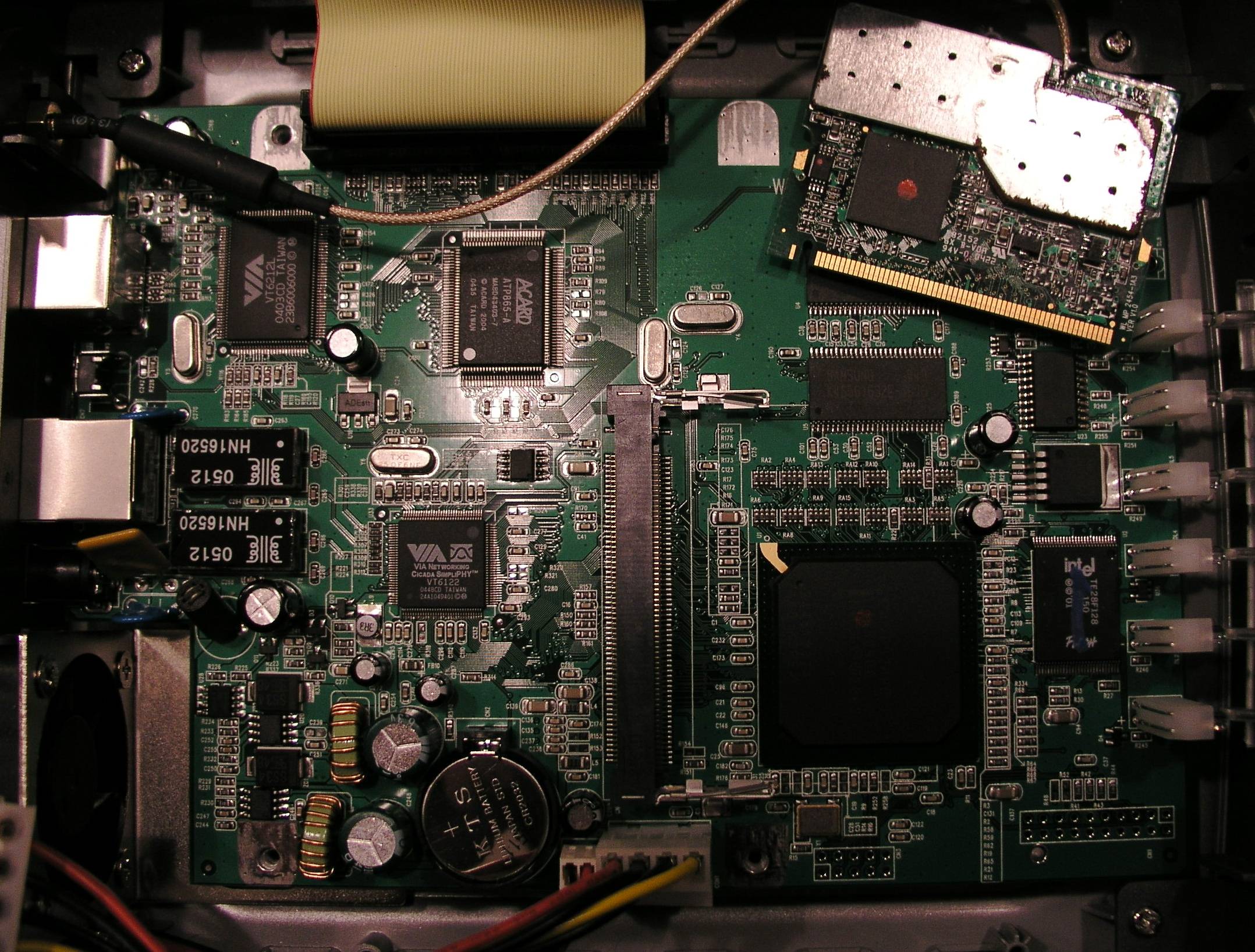
Main PCB:
¶ Serial
-> port.serial general information about the serial port, serial port cable, etc.
How to connect to the Serial Port of this specific device:
Insert photo of PCB with markings for serial port
| Serial connection parameters for D-Link DSM-G600 A1 |
115200, 8N1, 3.3V (untested) |
|---|
¶ JTAG
-> port.jtag general information about the JTAG port, JTAG cable, etc.
How to connect to the JTAG Port of this specific device:
Insert photo of PCB with markings for JTAG port
¶ Bootloader mods
-> bootloader
¶ Hardware mods
None so far.
¶ Bootlogs
¶ OEM bootlog
COPY HERE THE BOOTLOG WITH THE ORIGINAL FIRMWARE
¶ OpenWrt bootlog
COPY HERE THE BOOTLOG ONCE OPENWRT IS INSTALLED AND RUNNING
¶ Notes
Space for additional notes, links to forum threads or other resources.
- ...
¶ Tags
